iPhone
6 PNGs · 1320 × 2868 px
Download iPhone setPress & creator kit
Official product screenshots, brand files, ready-to-use copy, and story ideas for journalists, reviewers, and creators.

Ready for your designer
18 full-resolution PNGs, organized into iPhone, iPad, and Mac folders. Every folder contains 1.png through 6.png in the same order. No added device frames, headlines, or slide counters.
6 PNGs · 1320 × 2868 px
Download iPhone set6 PNGs · 2064 × 2752 px
Download iPad set6 PNGs · 2880 × 1800 px
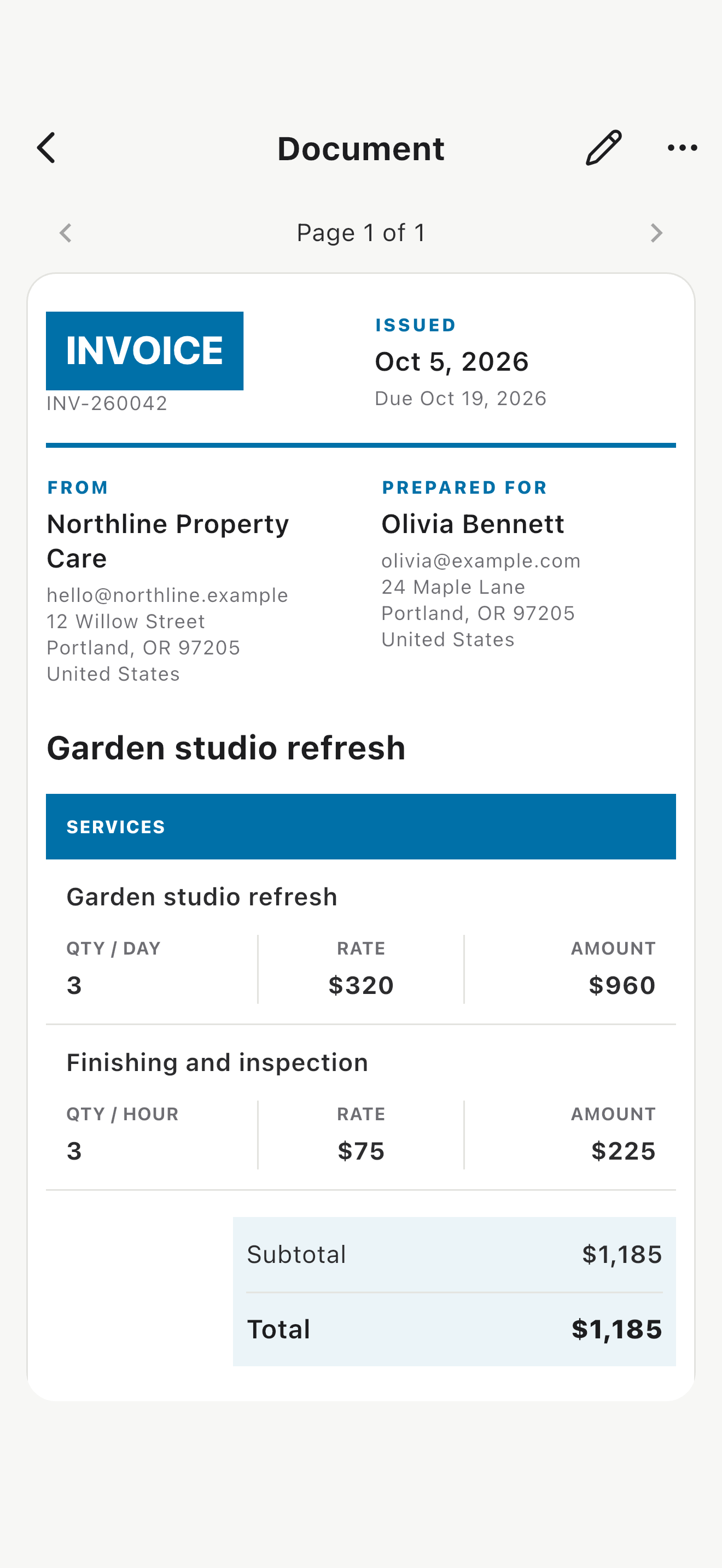
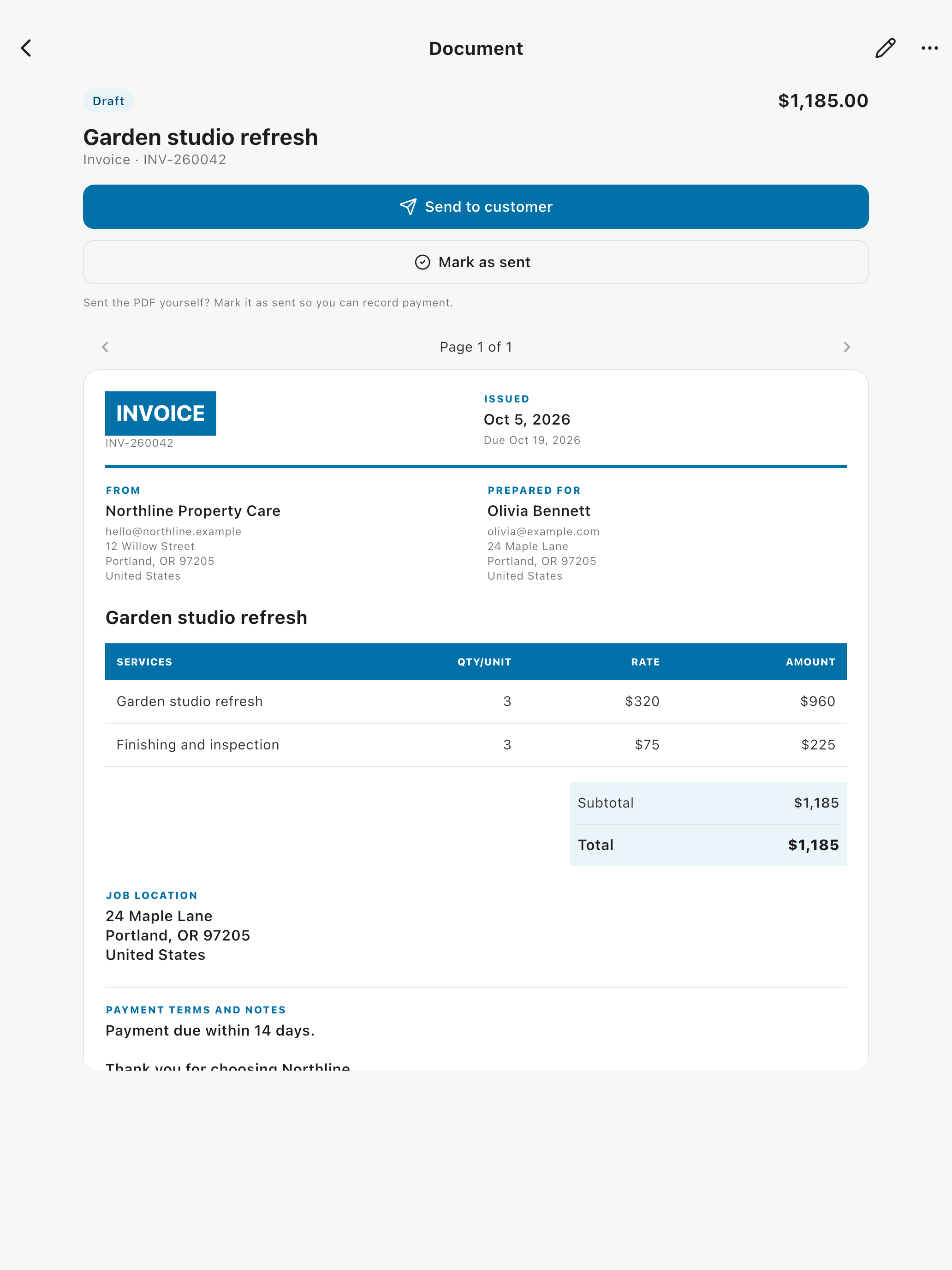
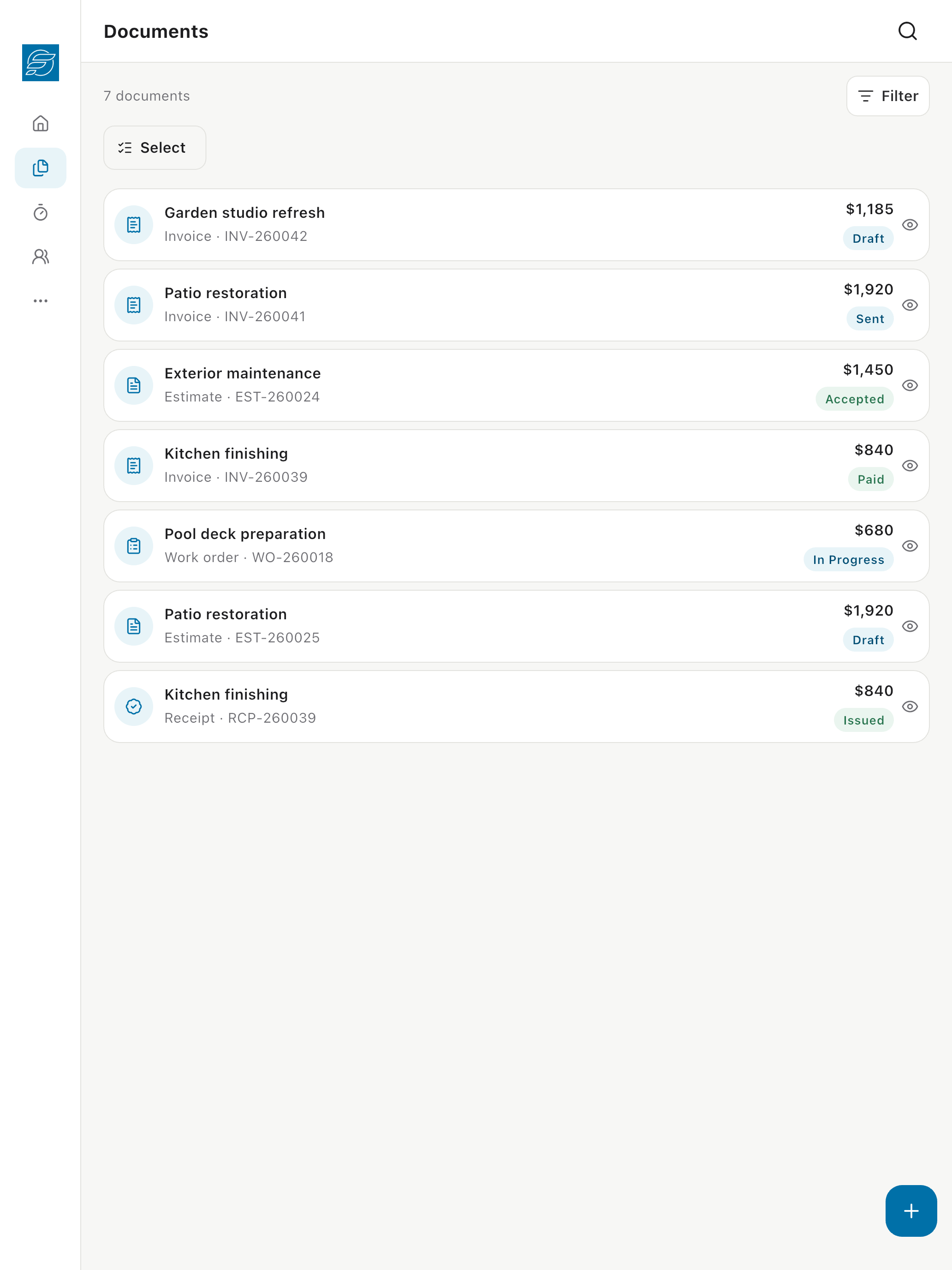
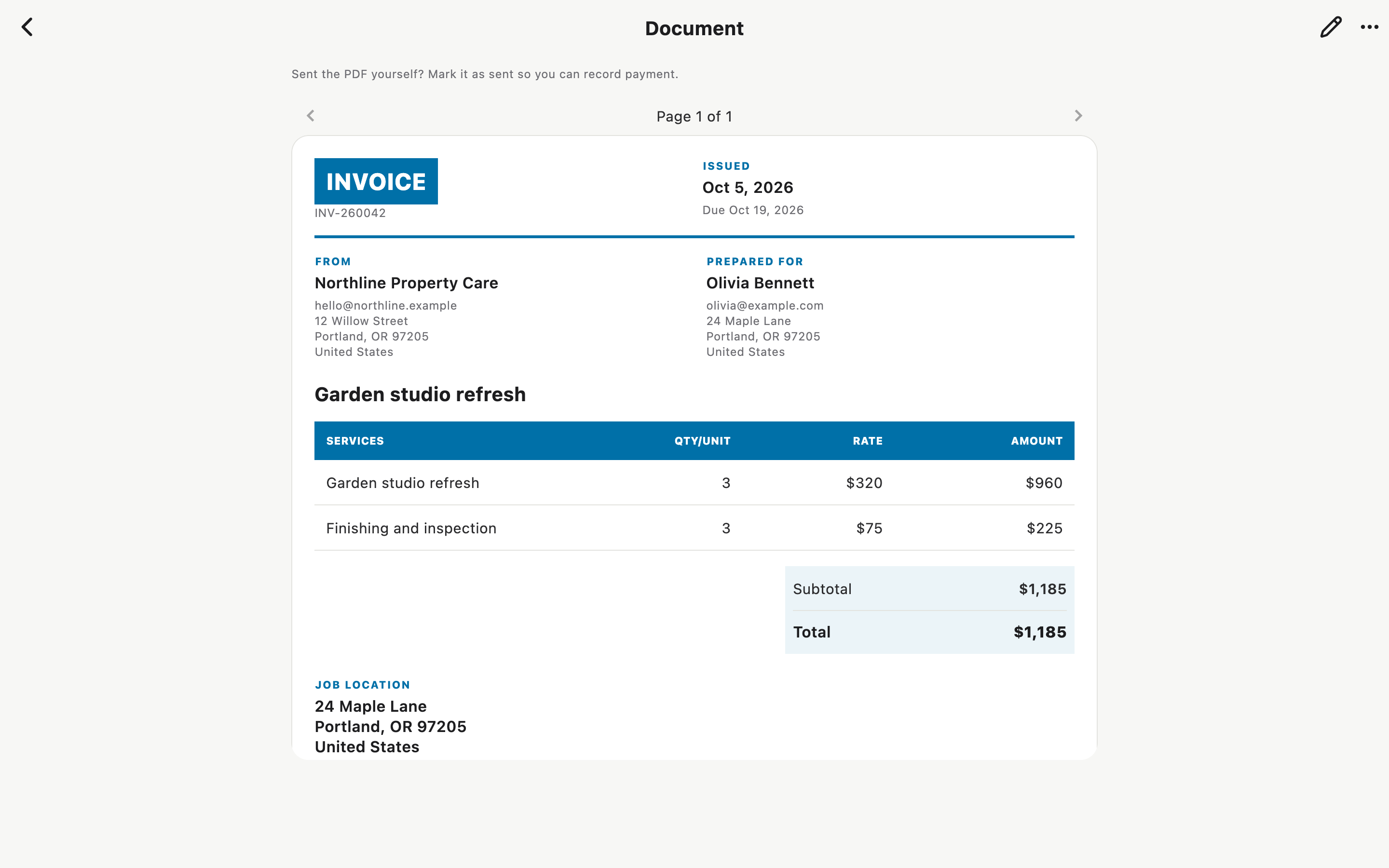
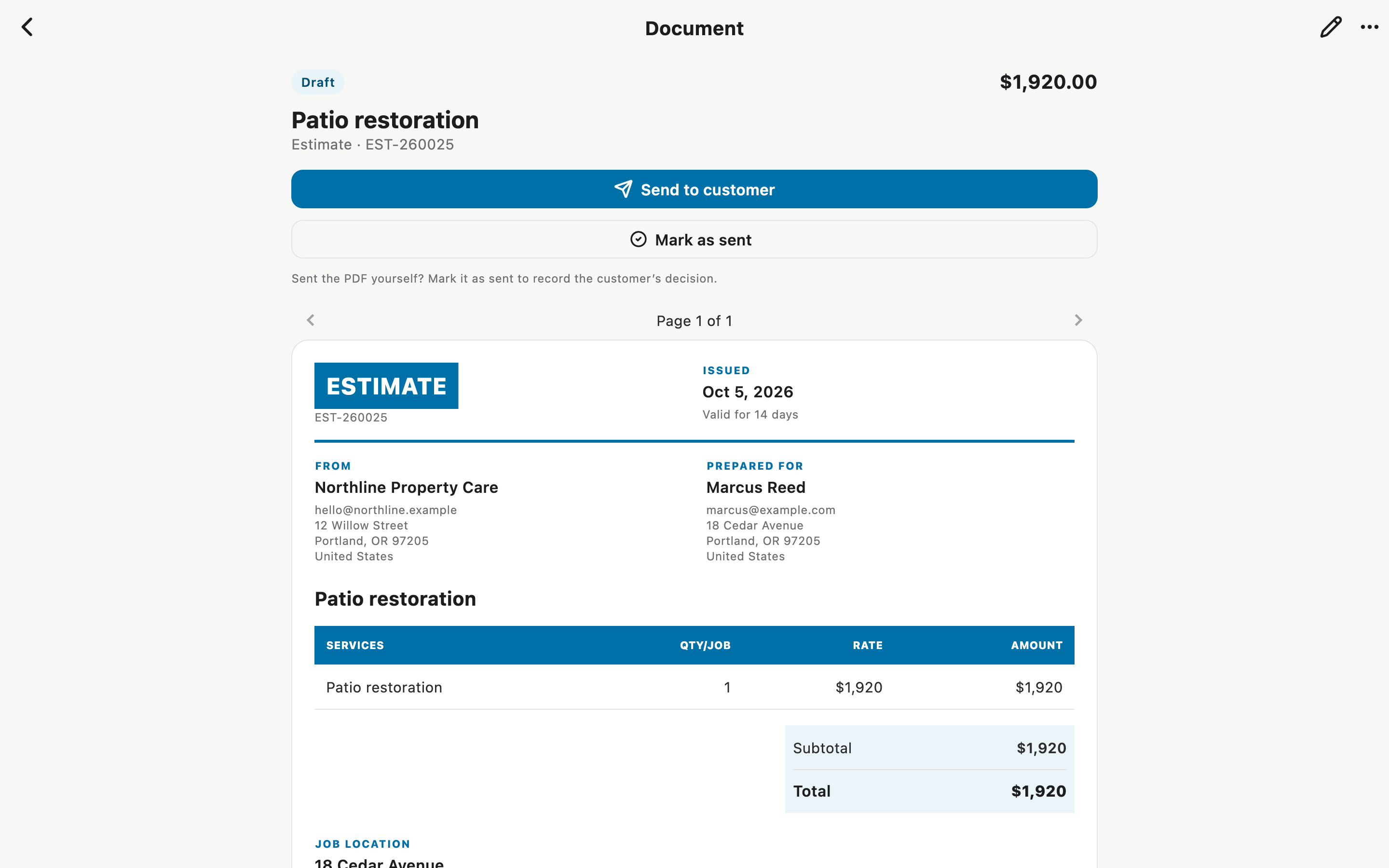
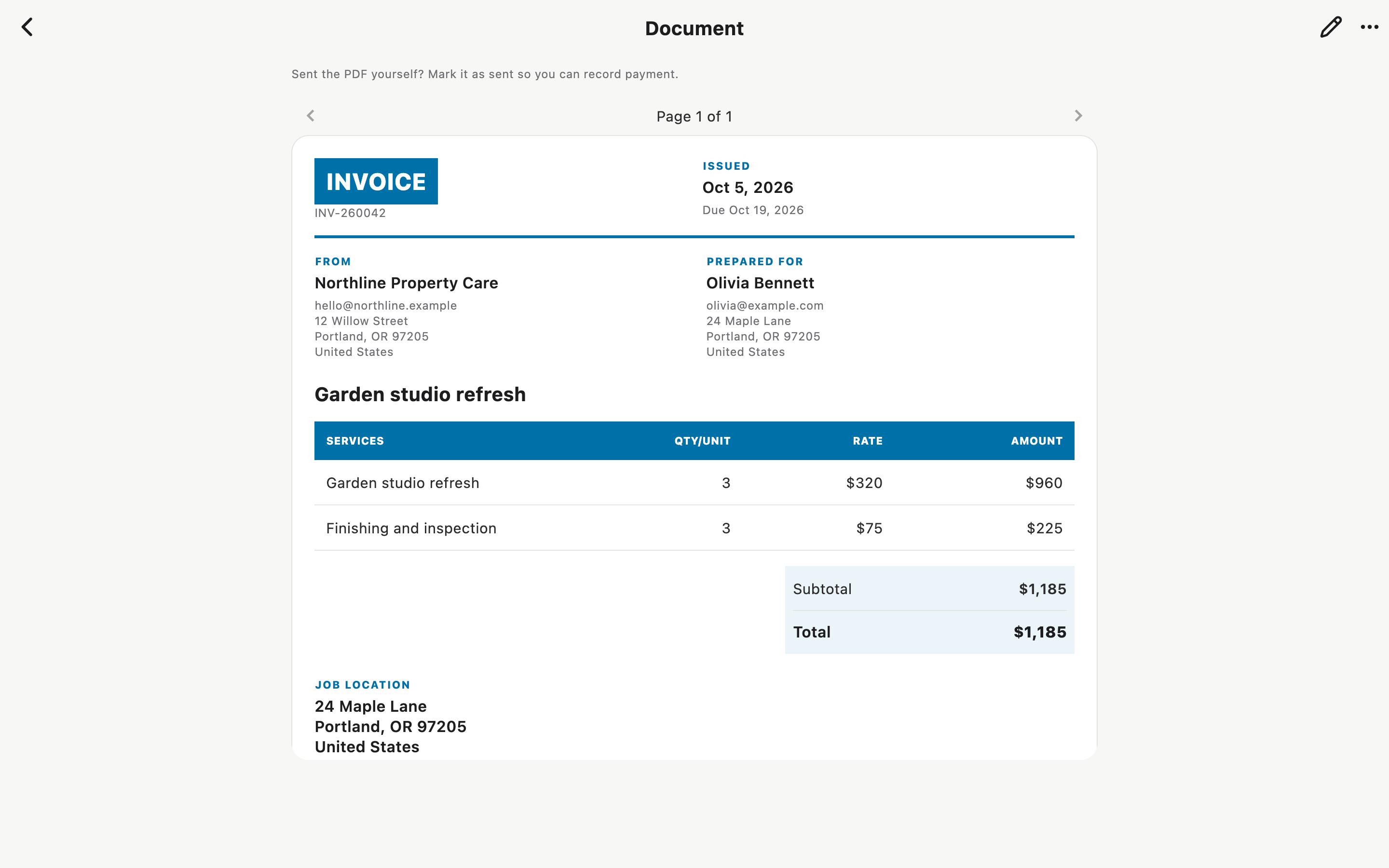
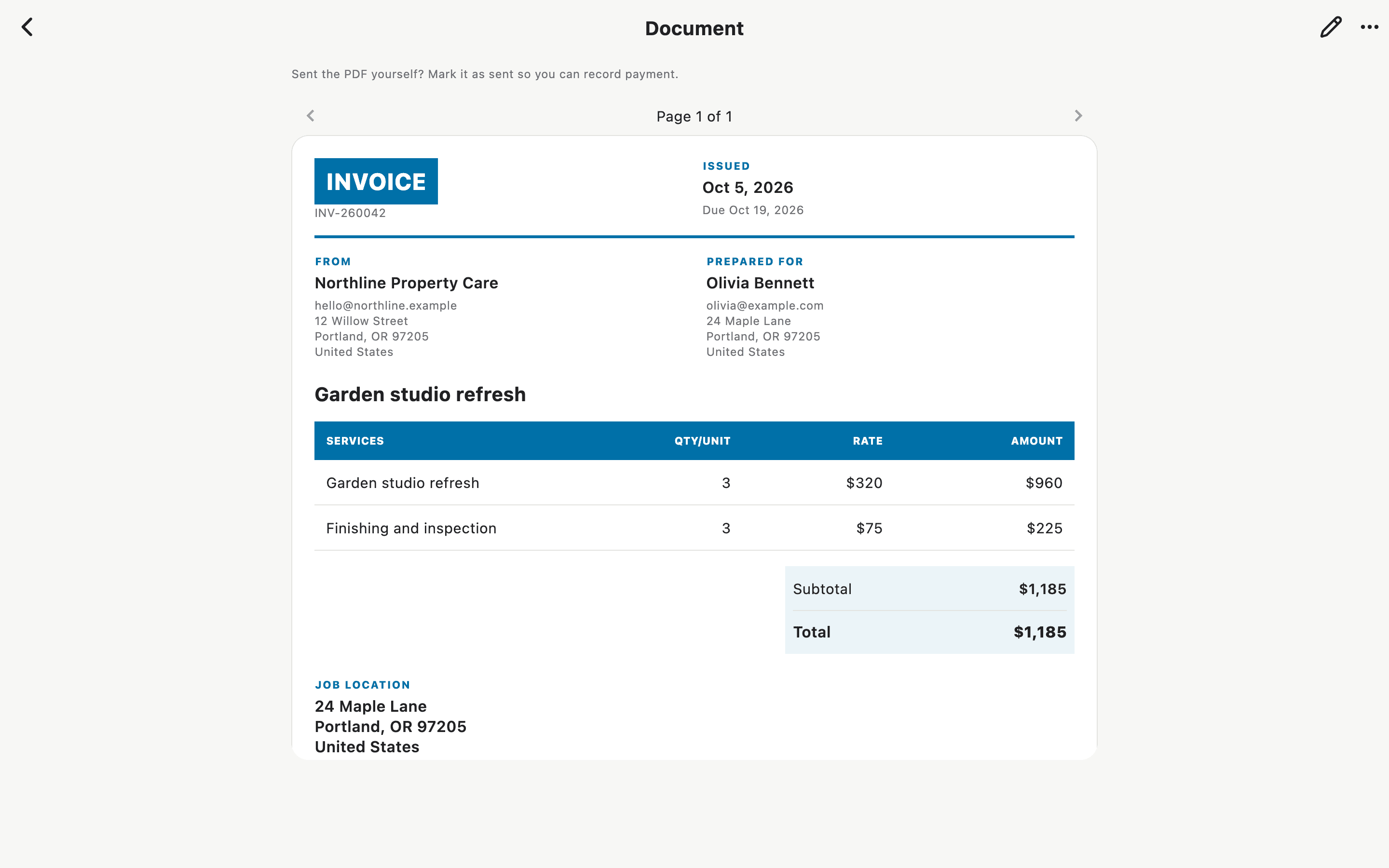
Download Mac setShow the finished result: clear customer details, itemized work, and a visible total.
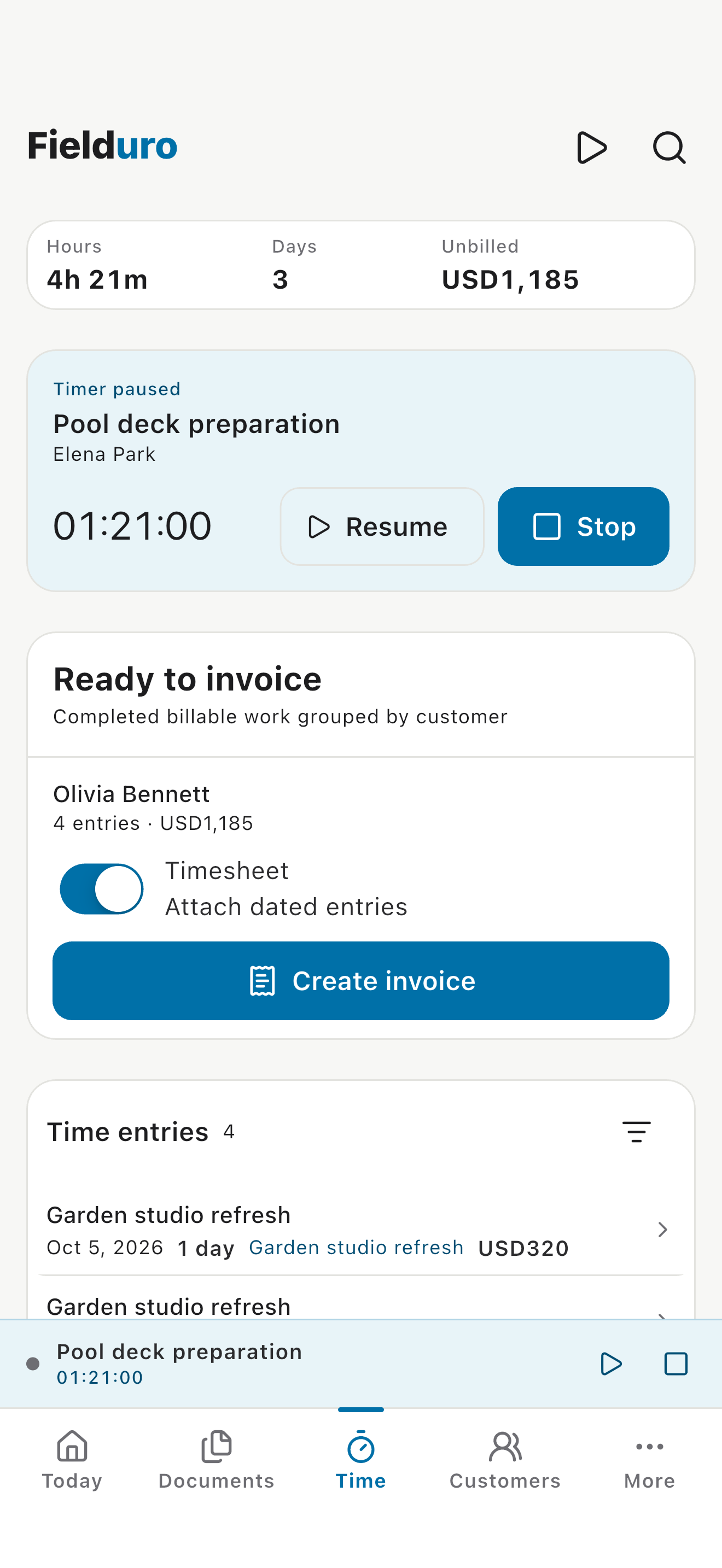
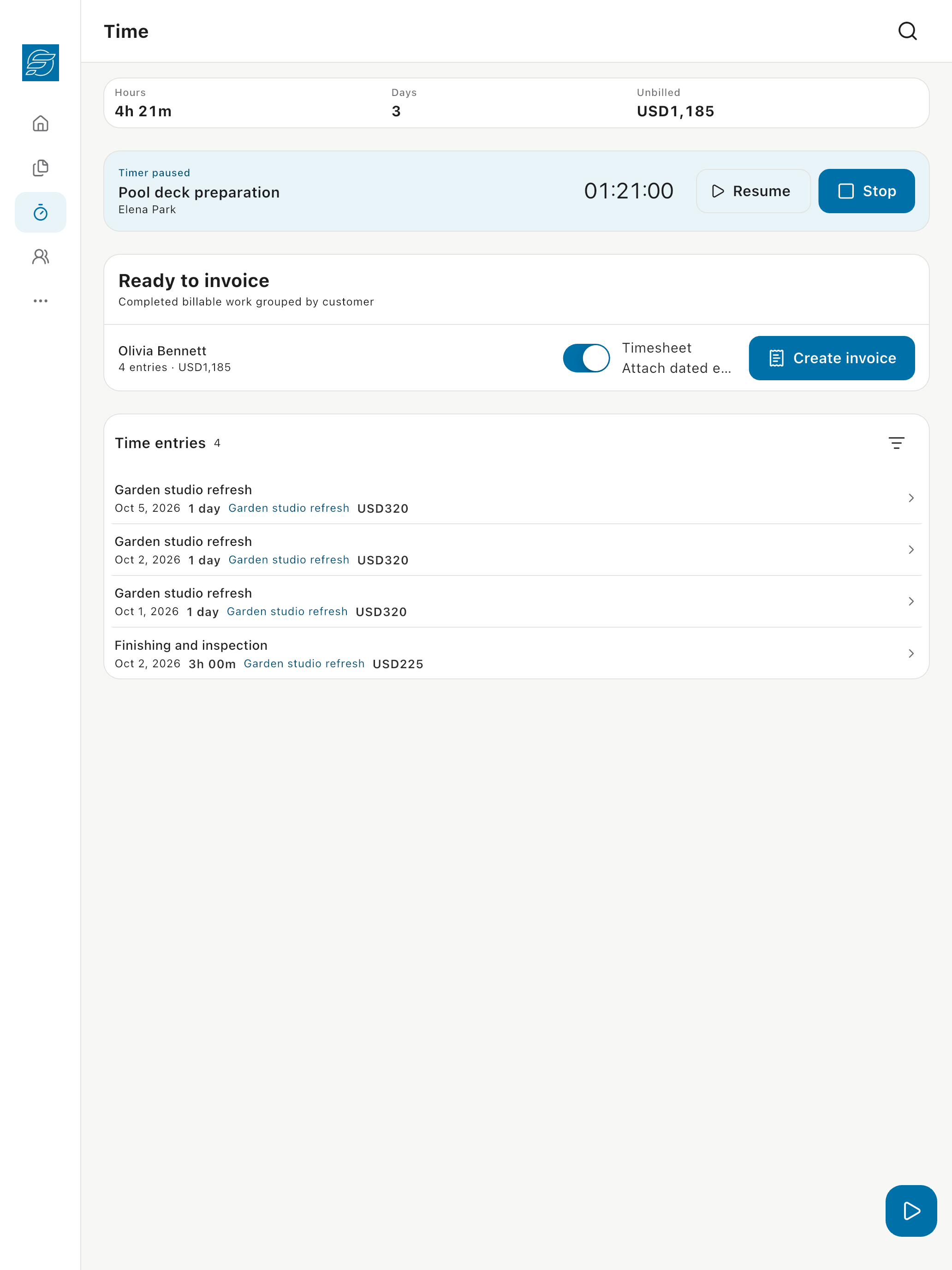
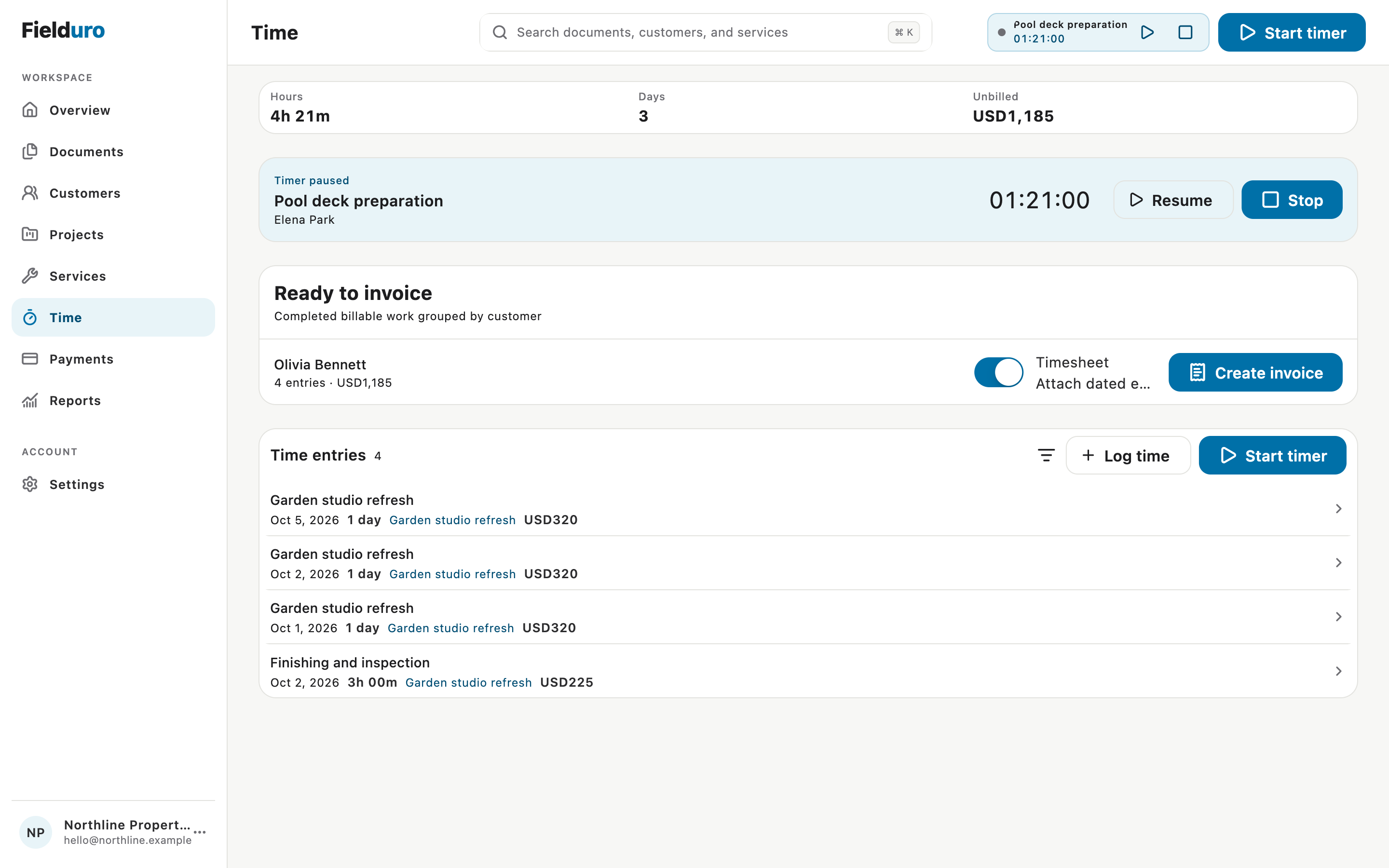
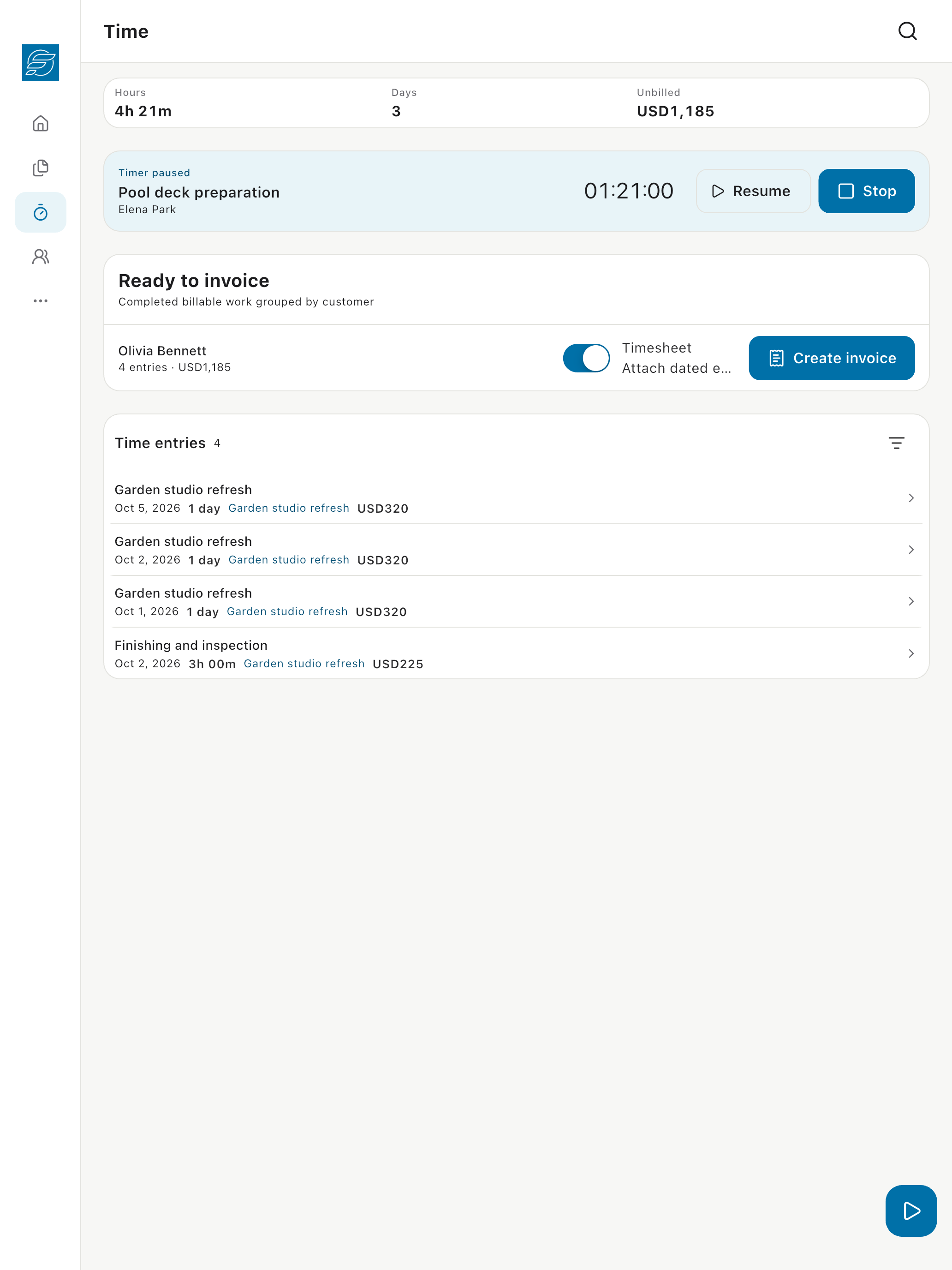
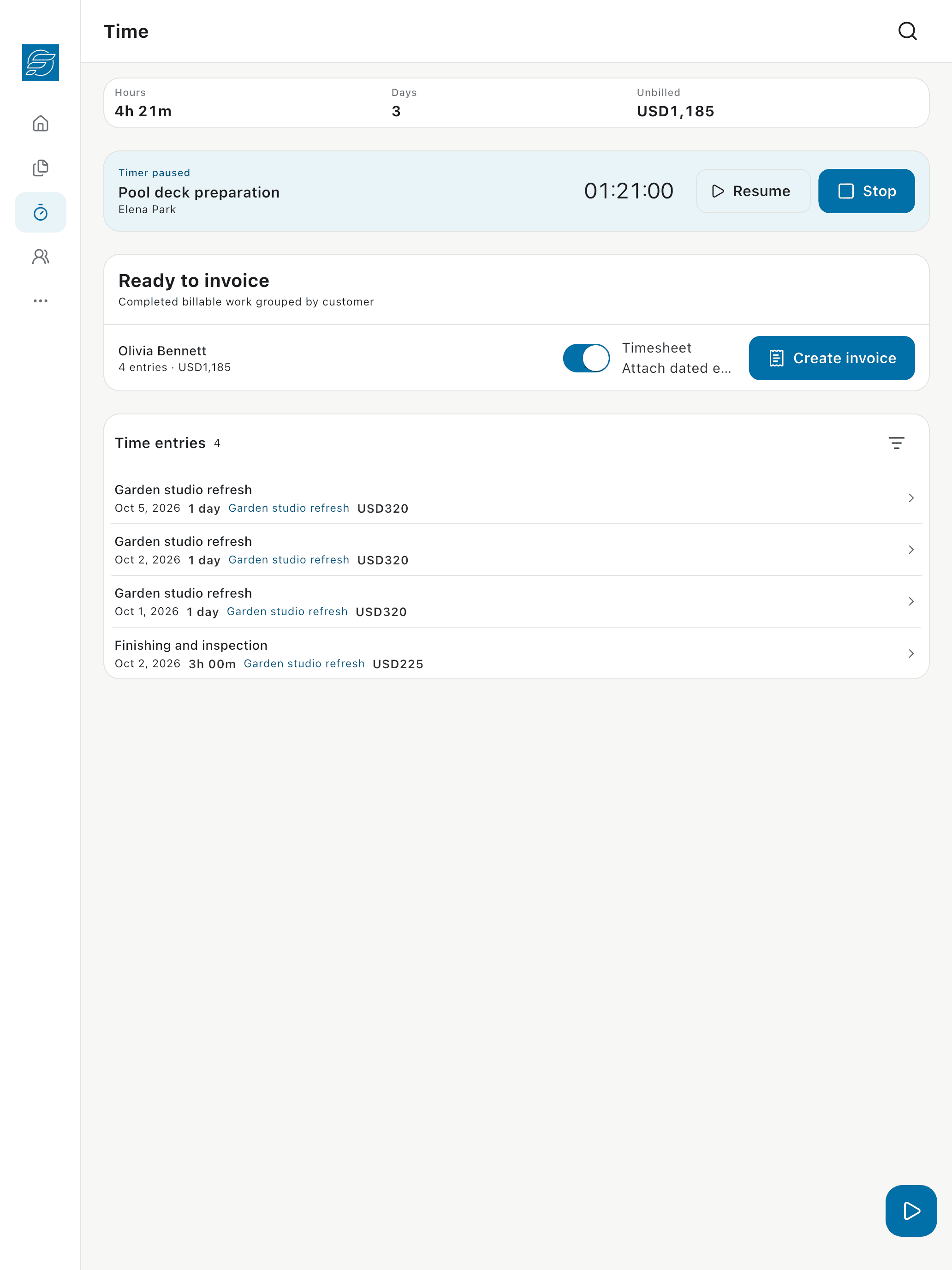
Connect hours and billable days to the work, then turn completed entries into an invoice.
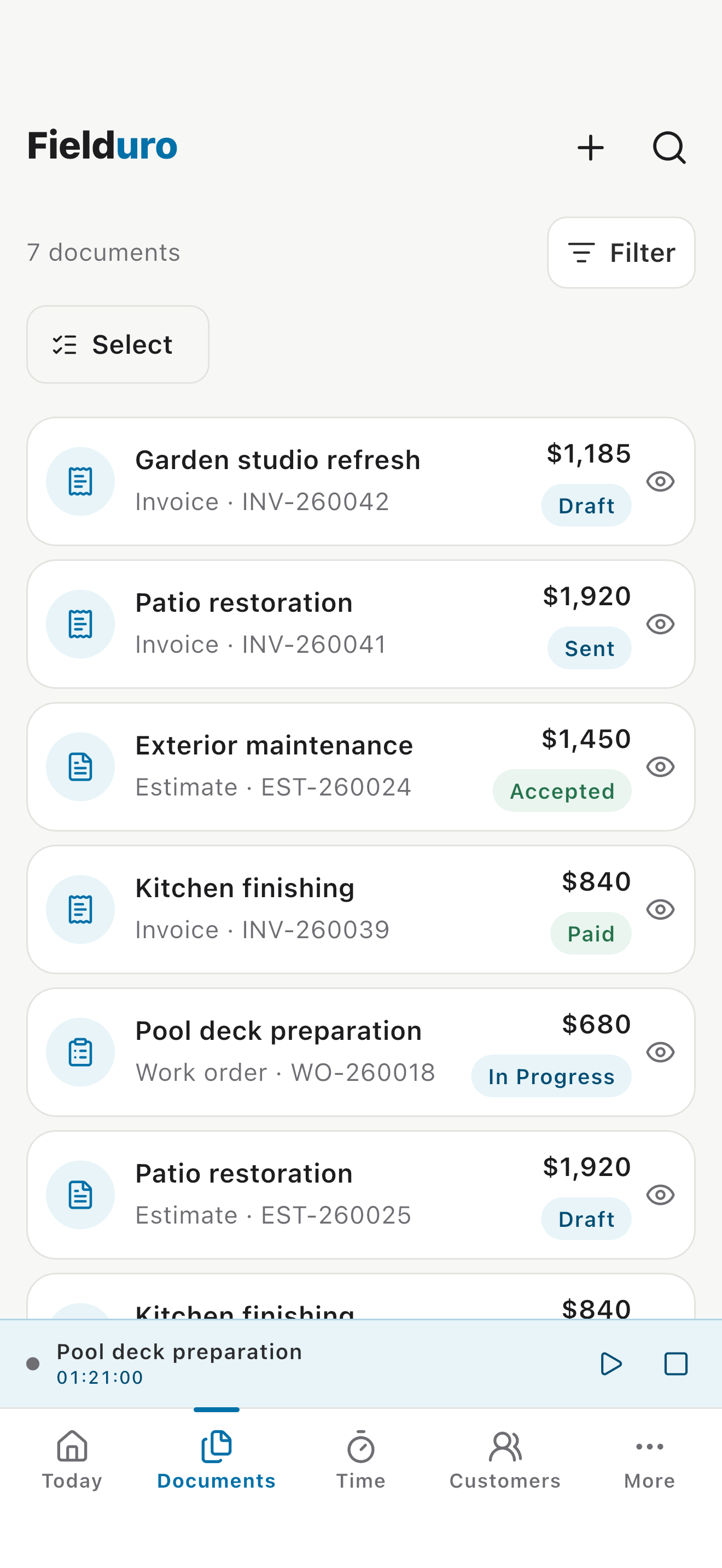
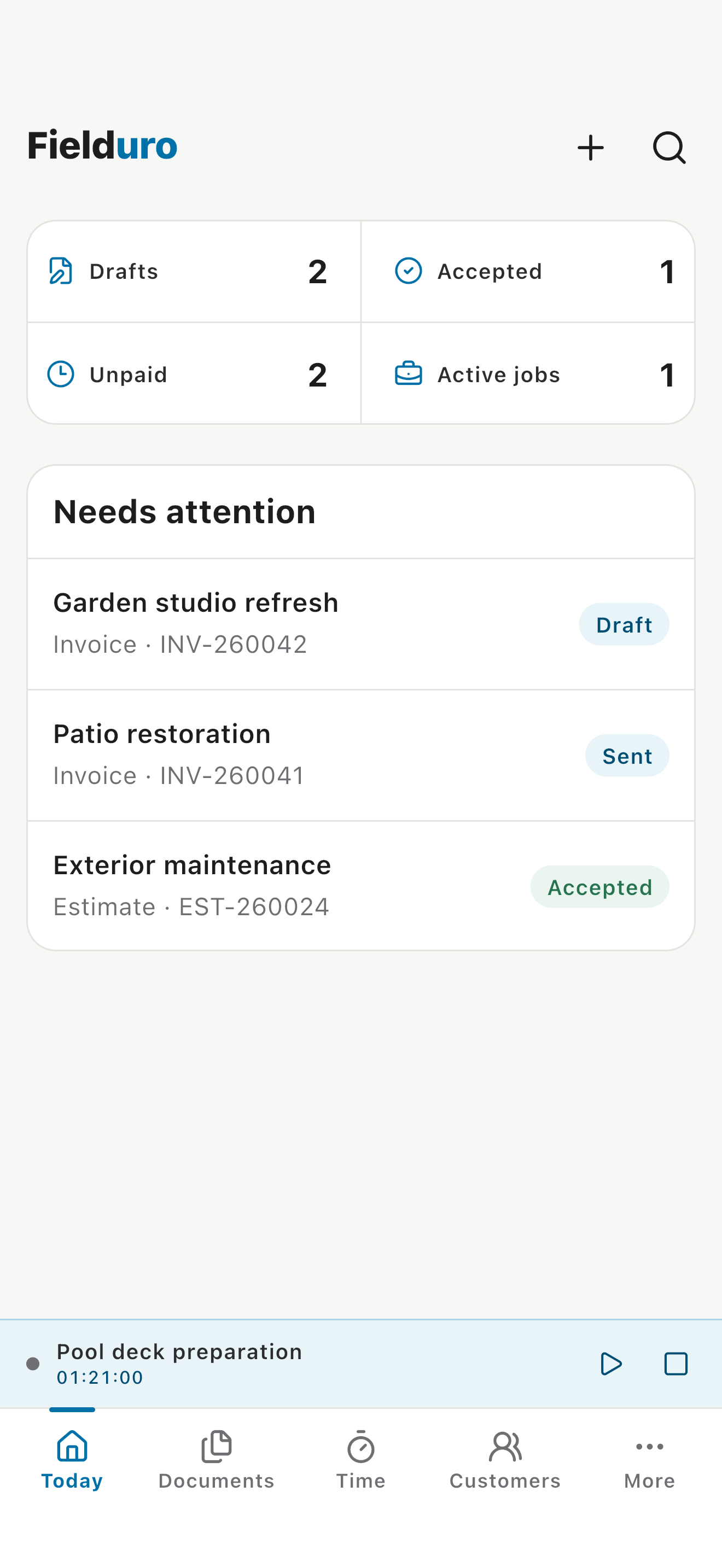
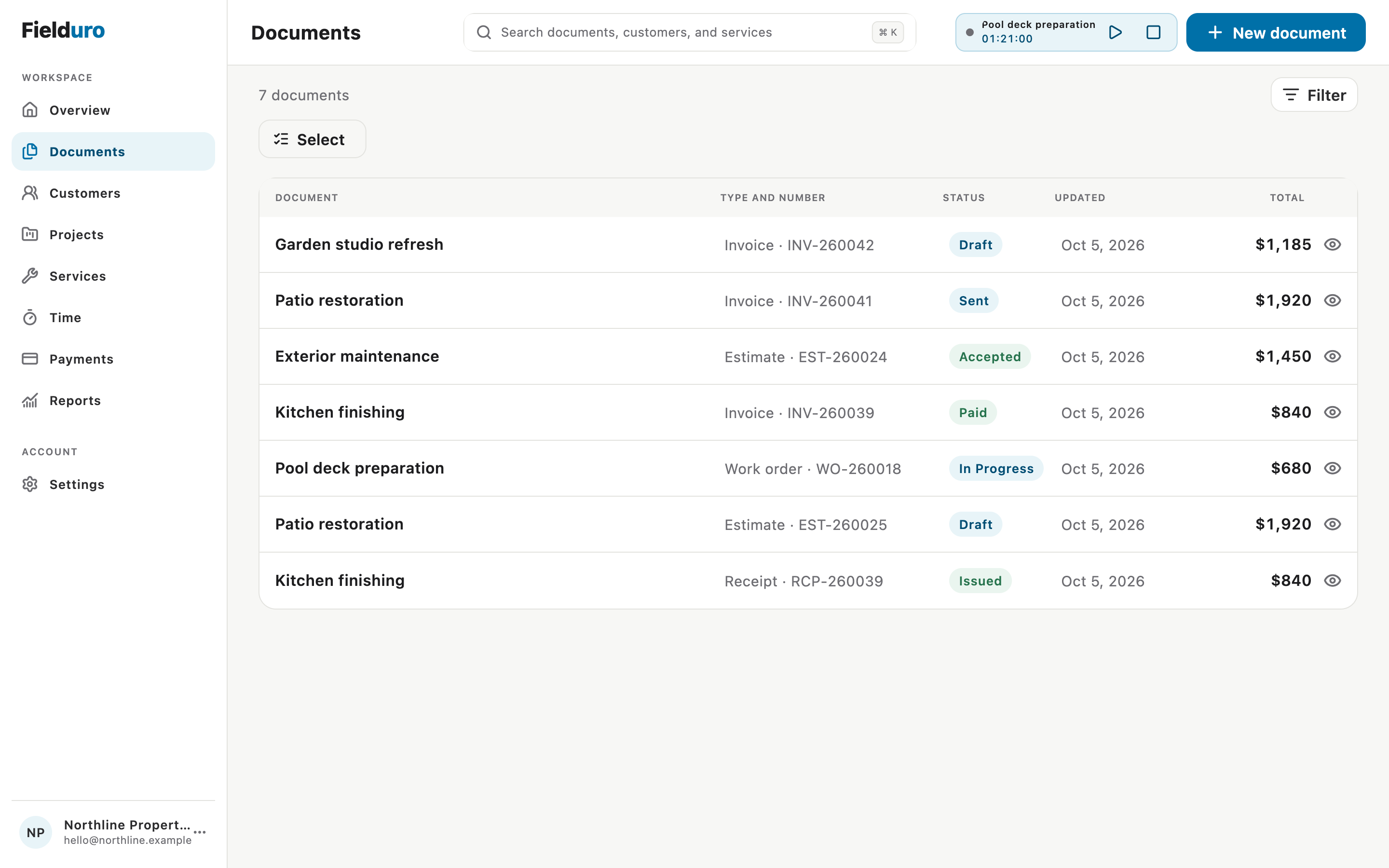
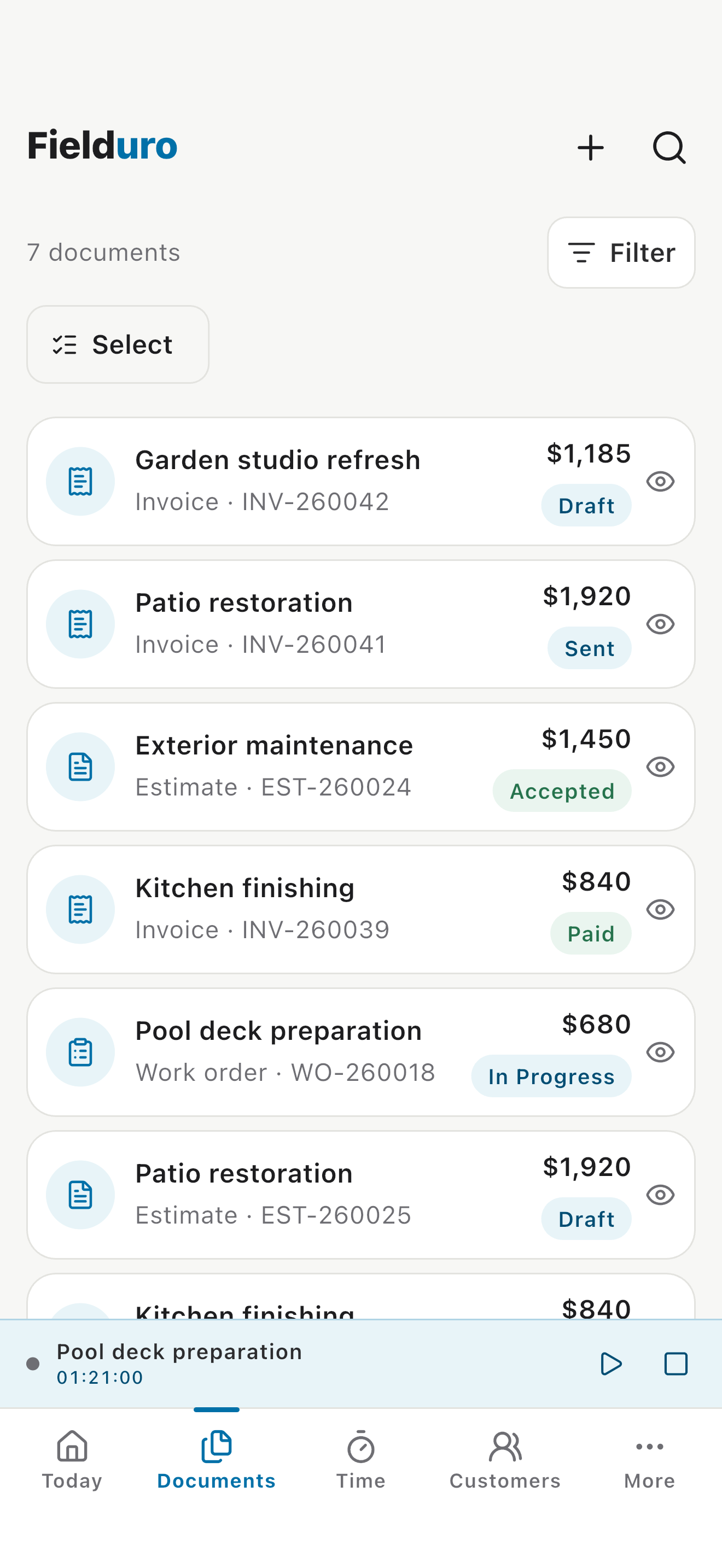
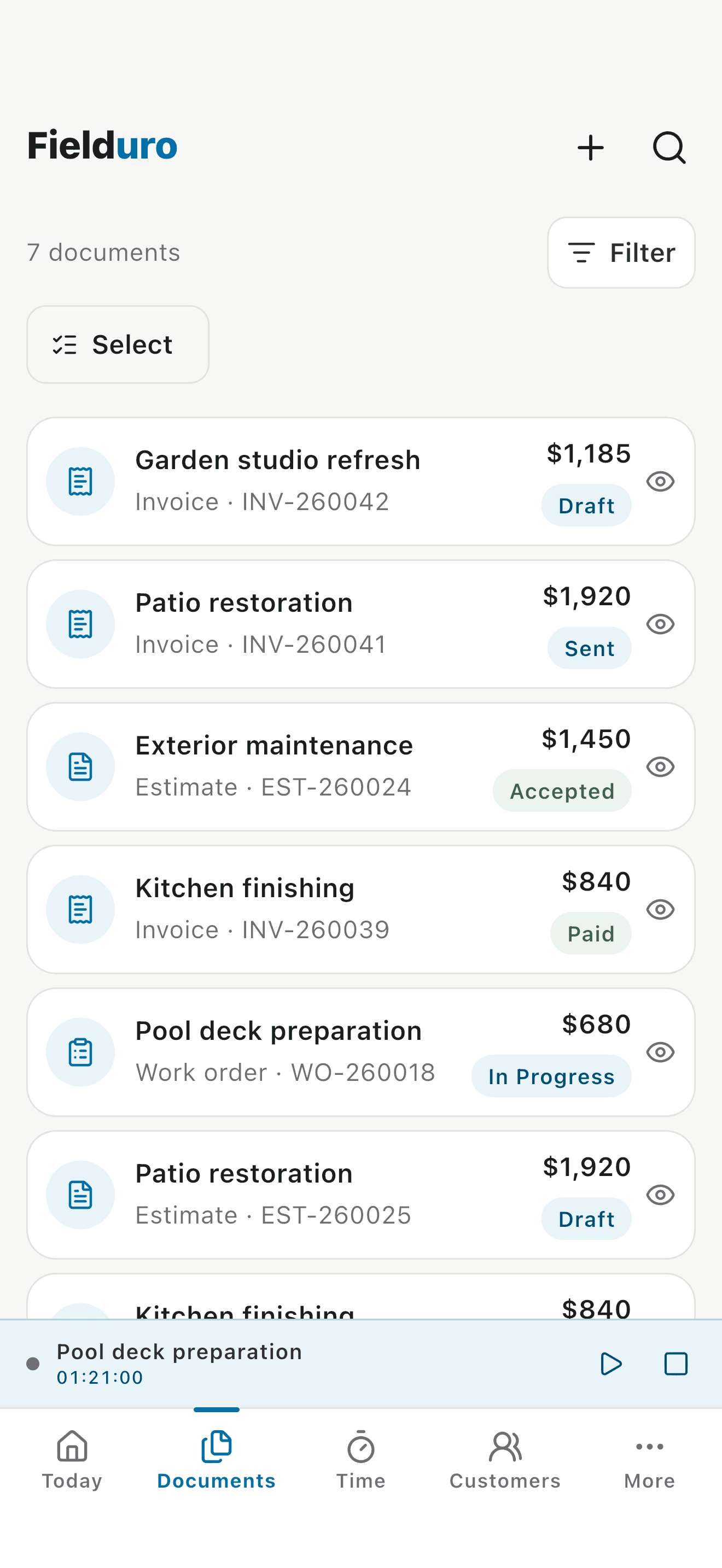
Keep drafts, sent invoices, accepted estimates, paid work, and active jobs in view.
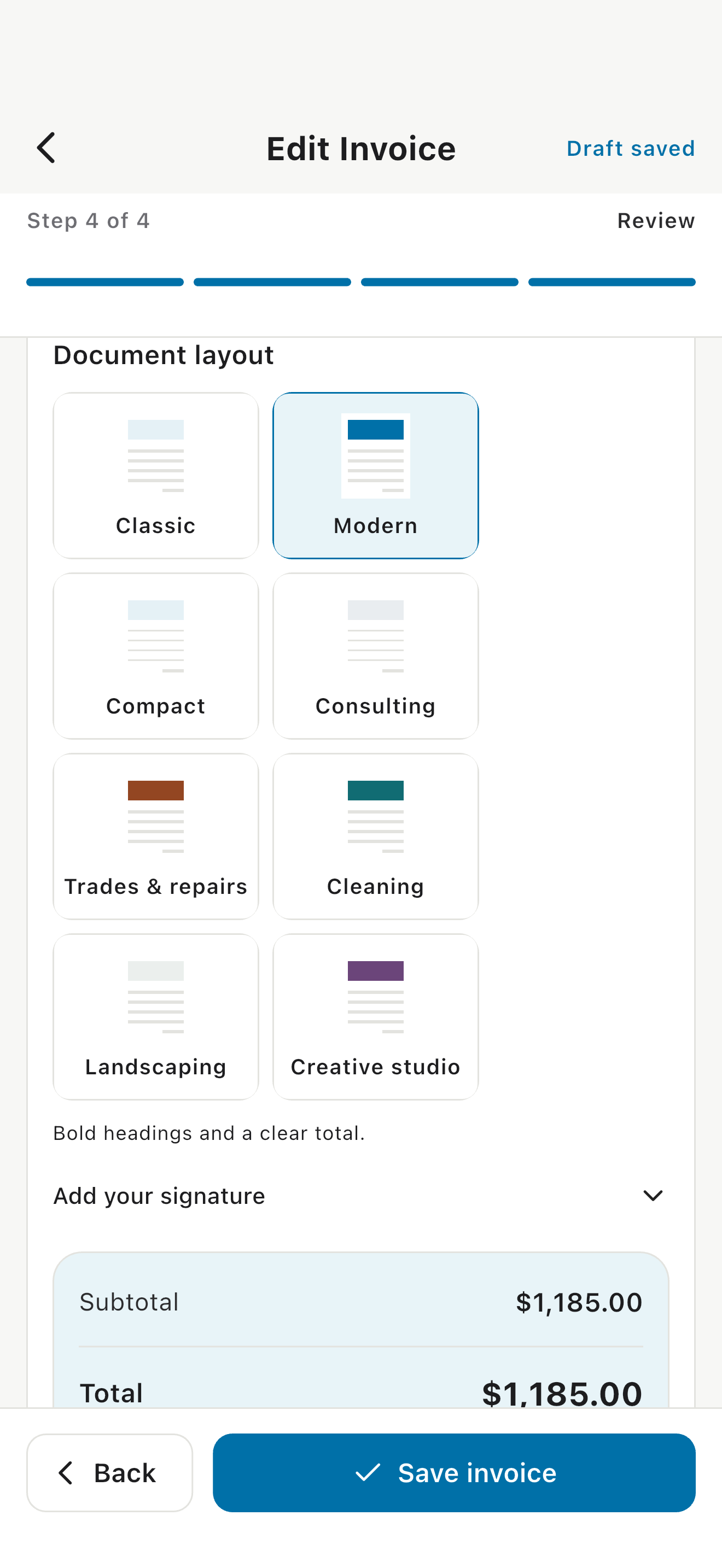
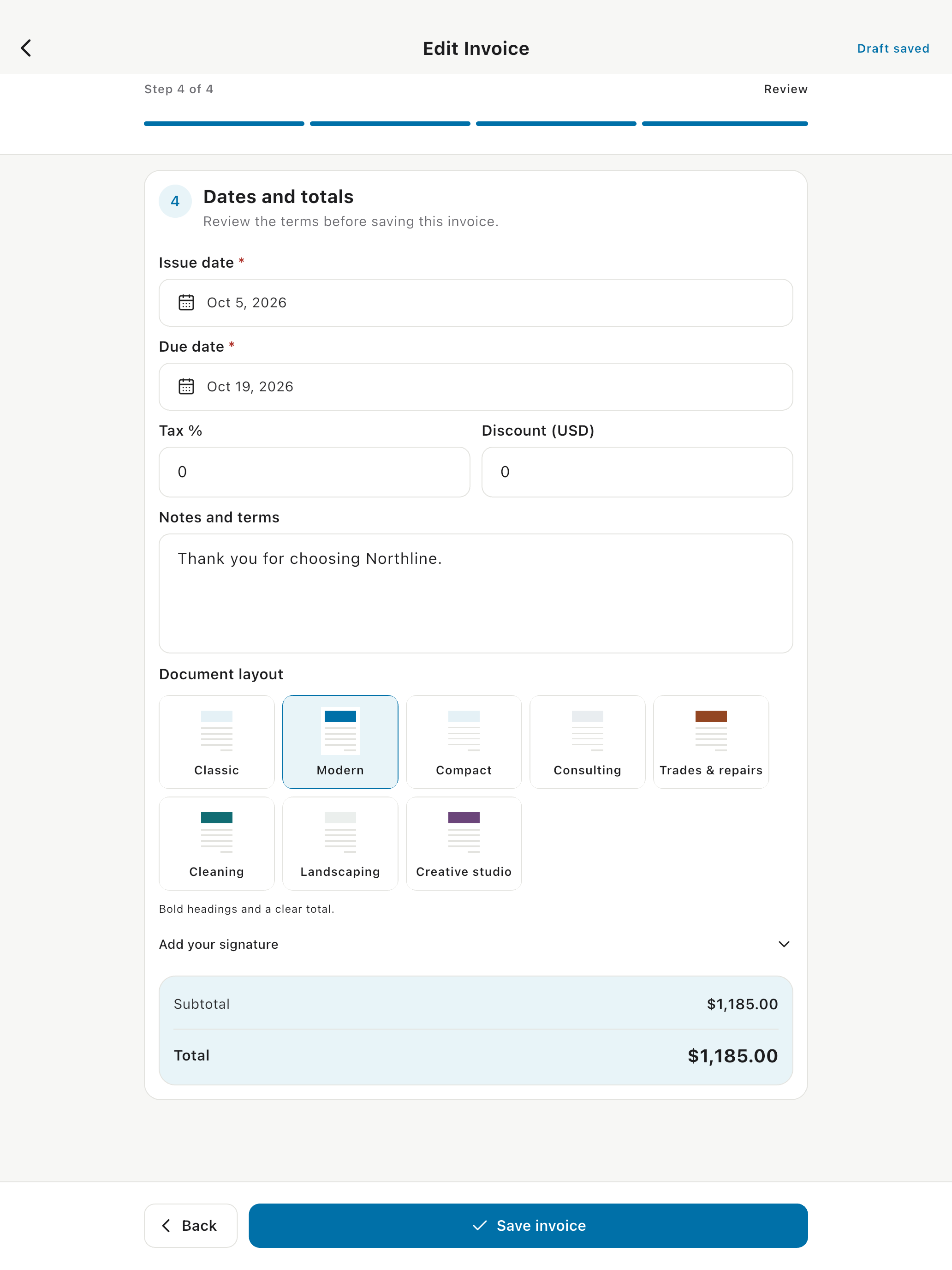
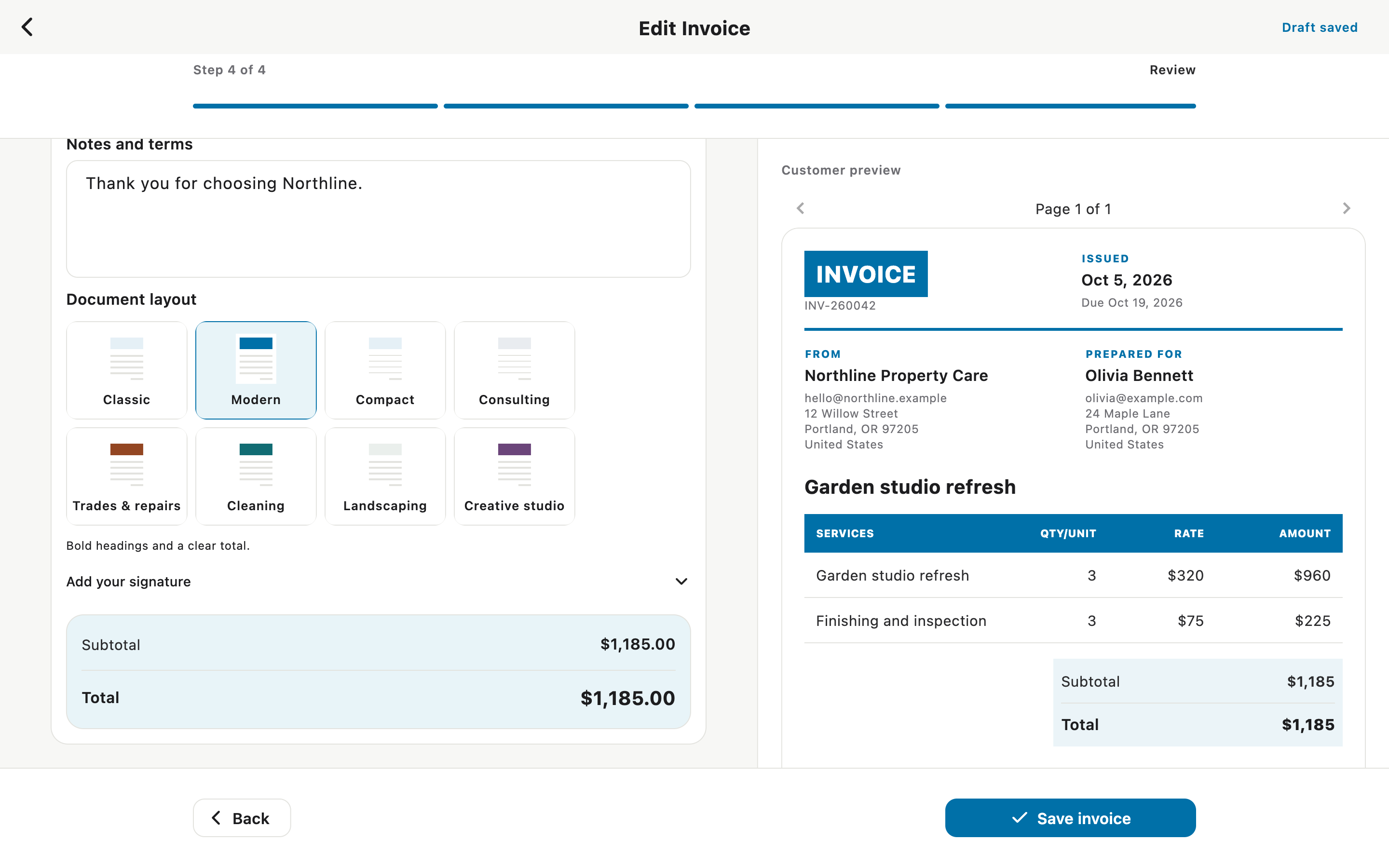
Choose a document layout that fits the job, with an option to add your signature.
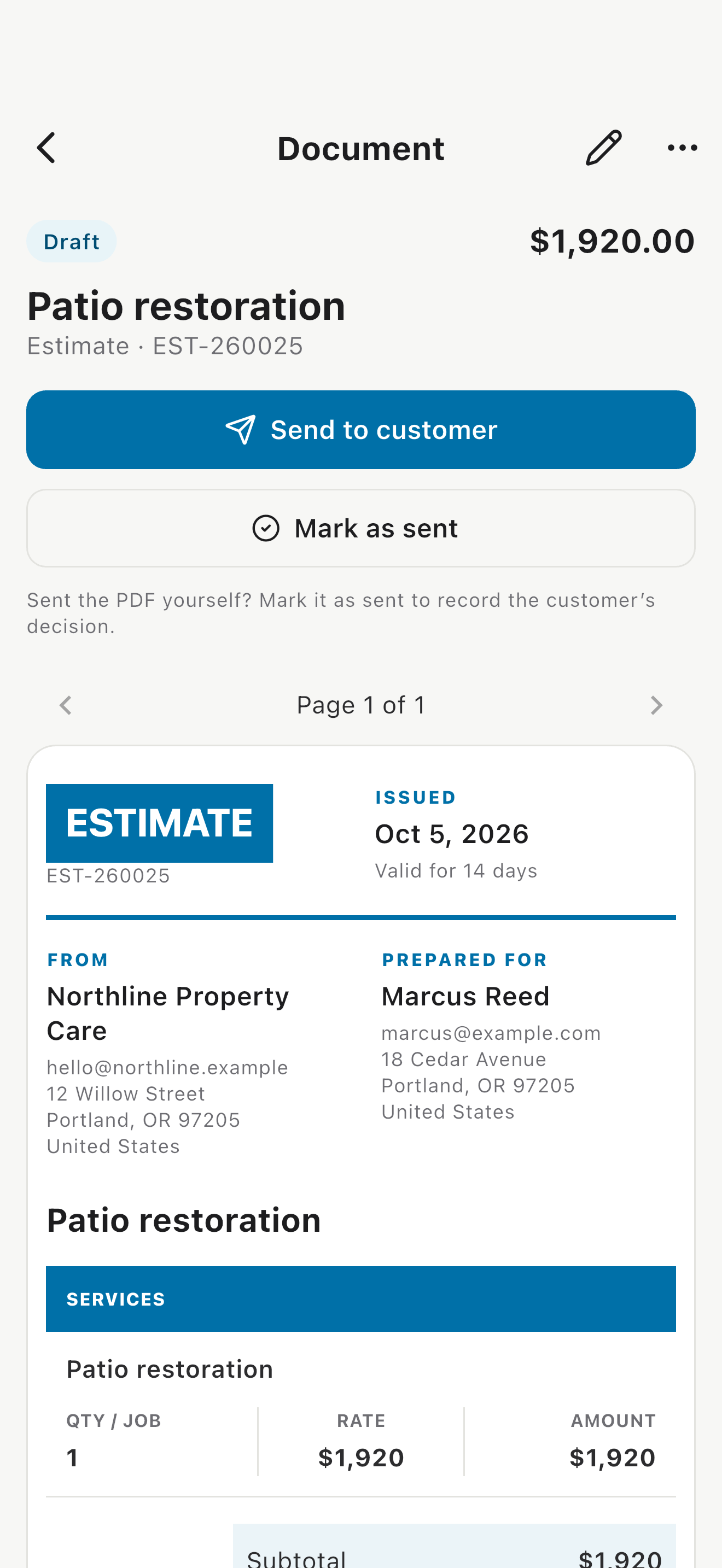
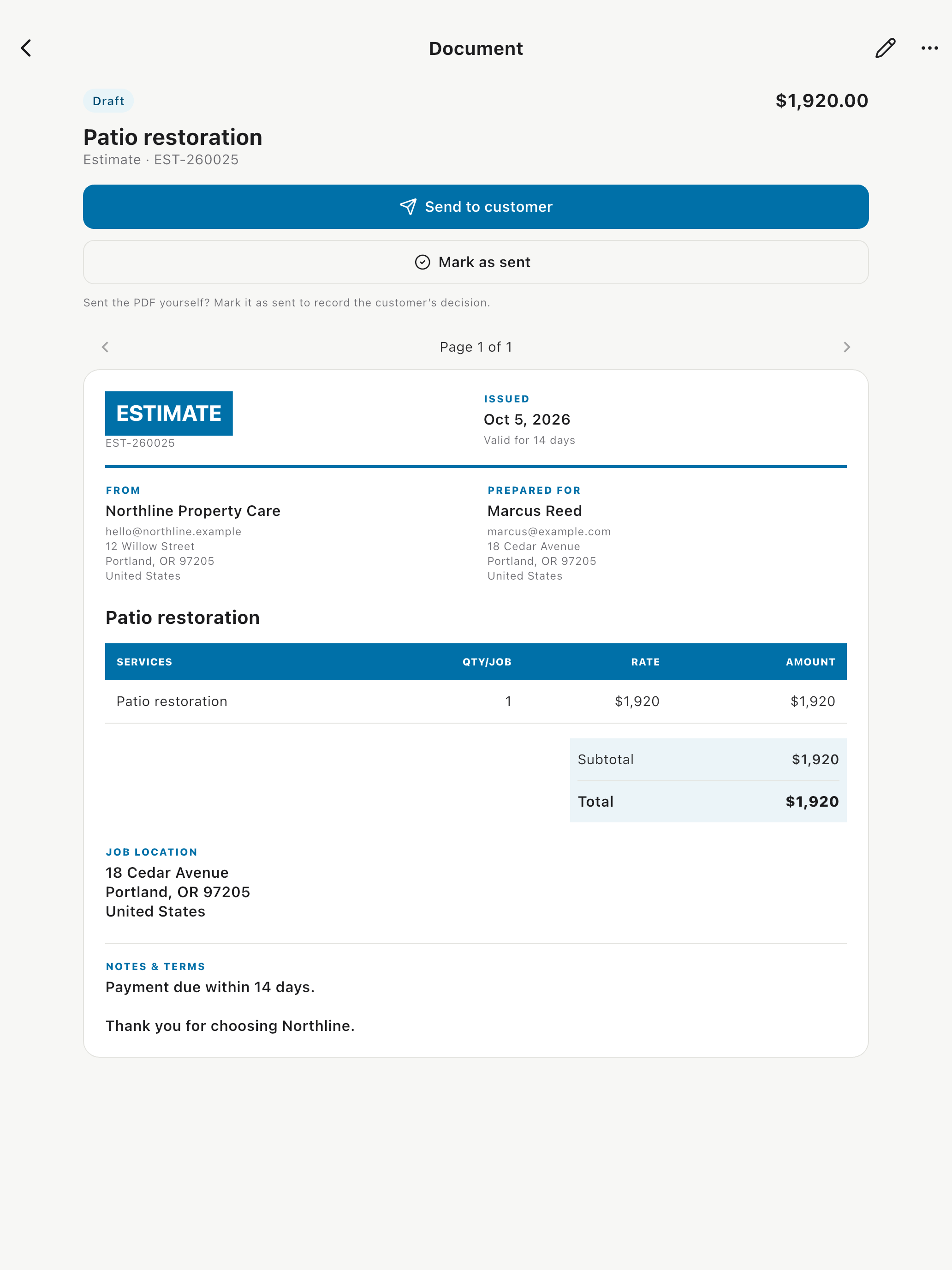
Prepare a quote and send it to the customer without retyping the job details.
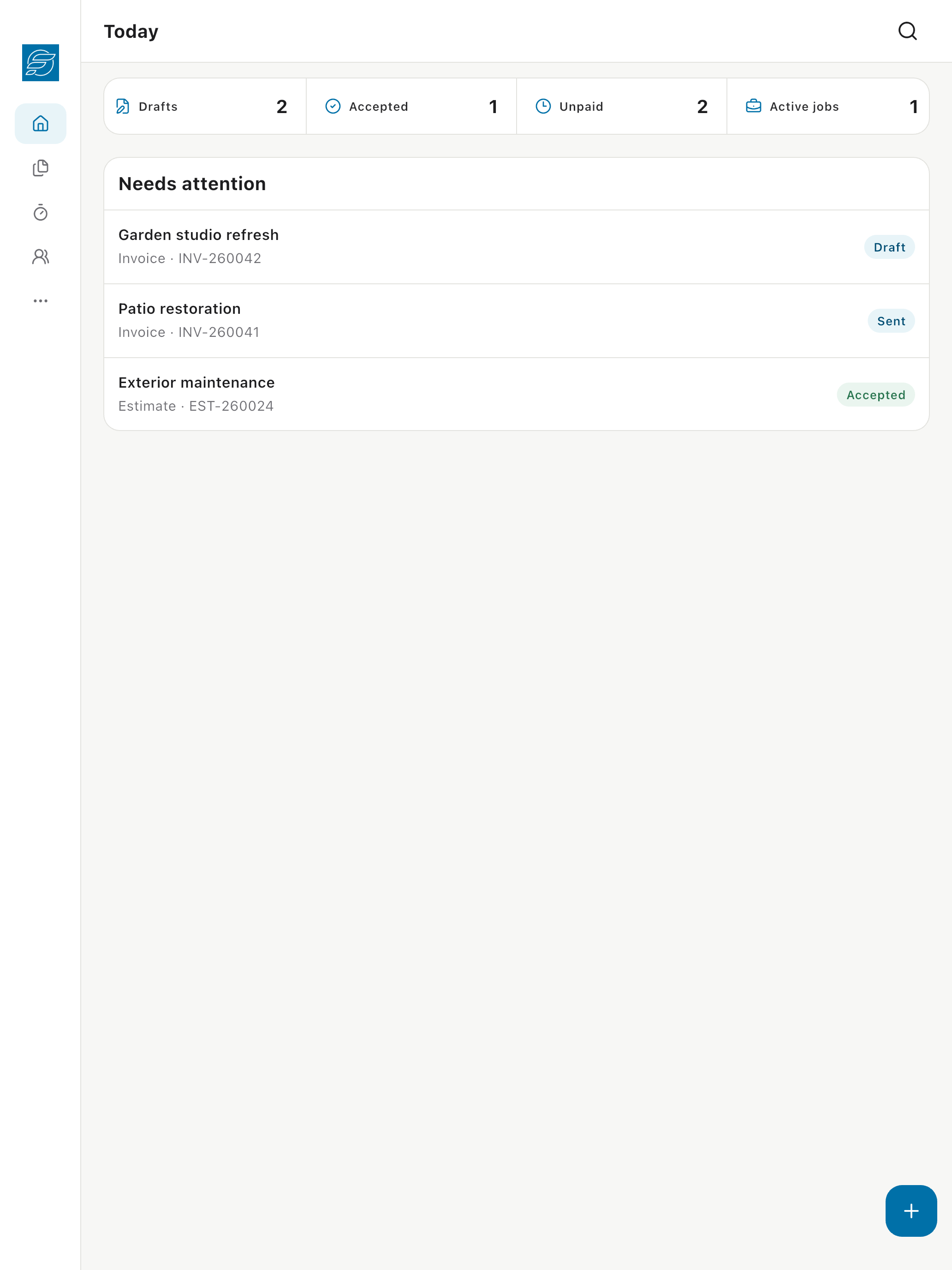
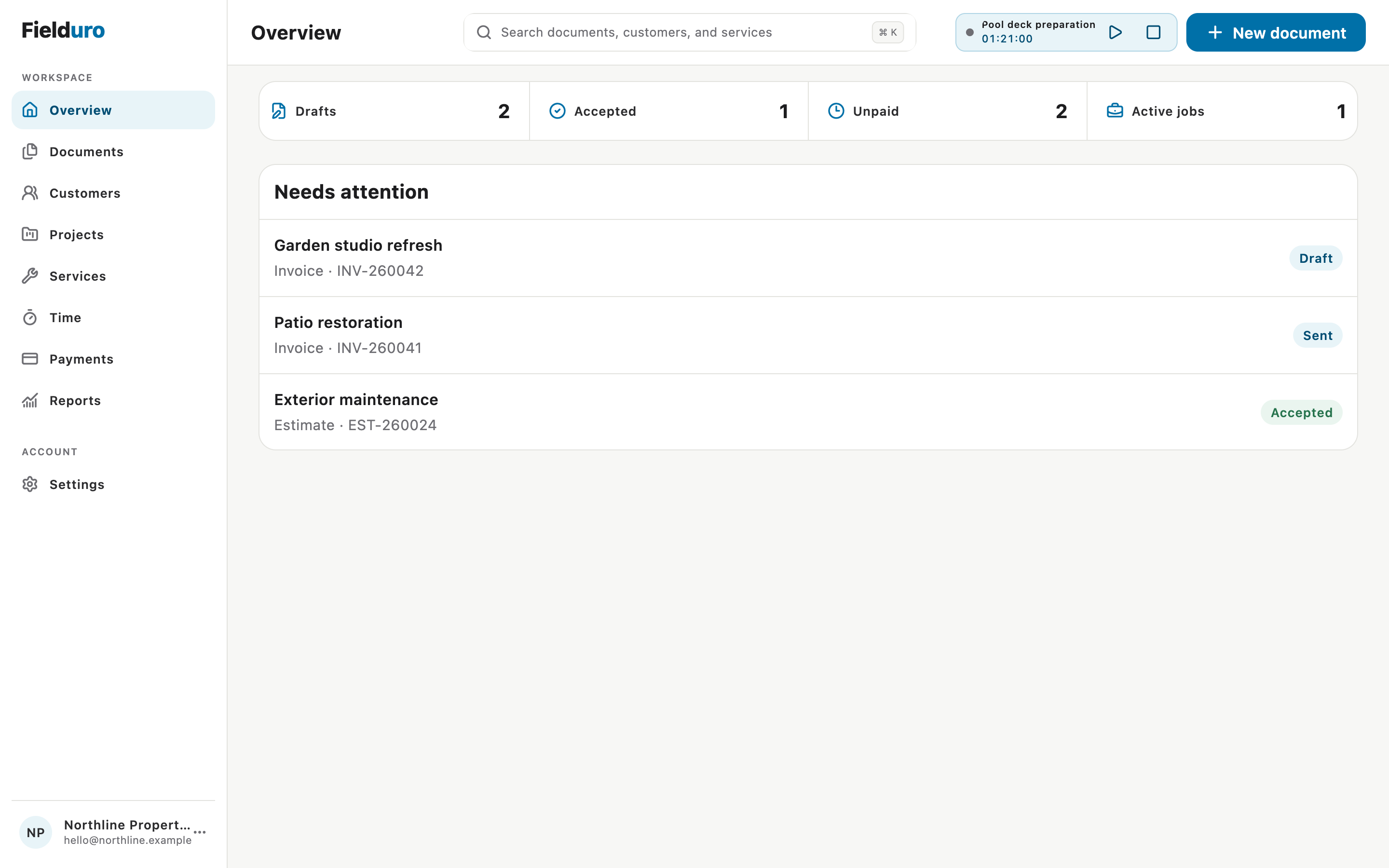
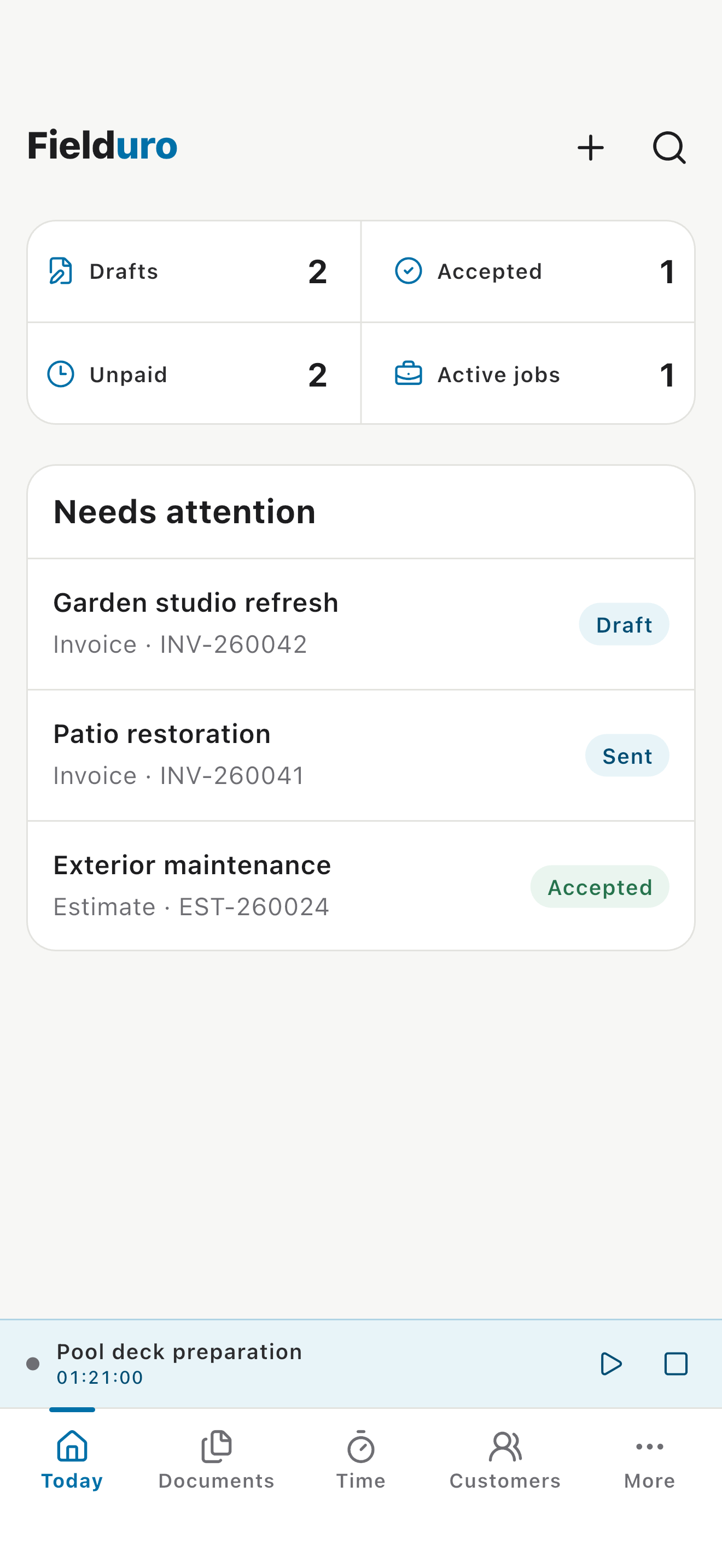
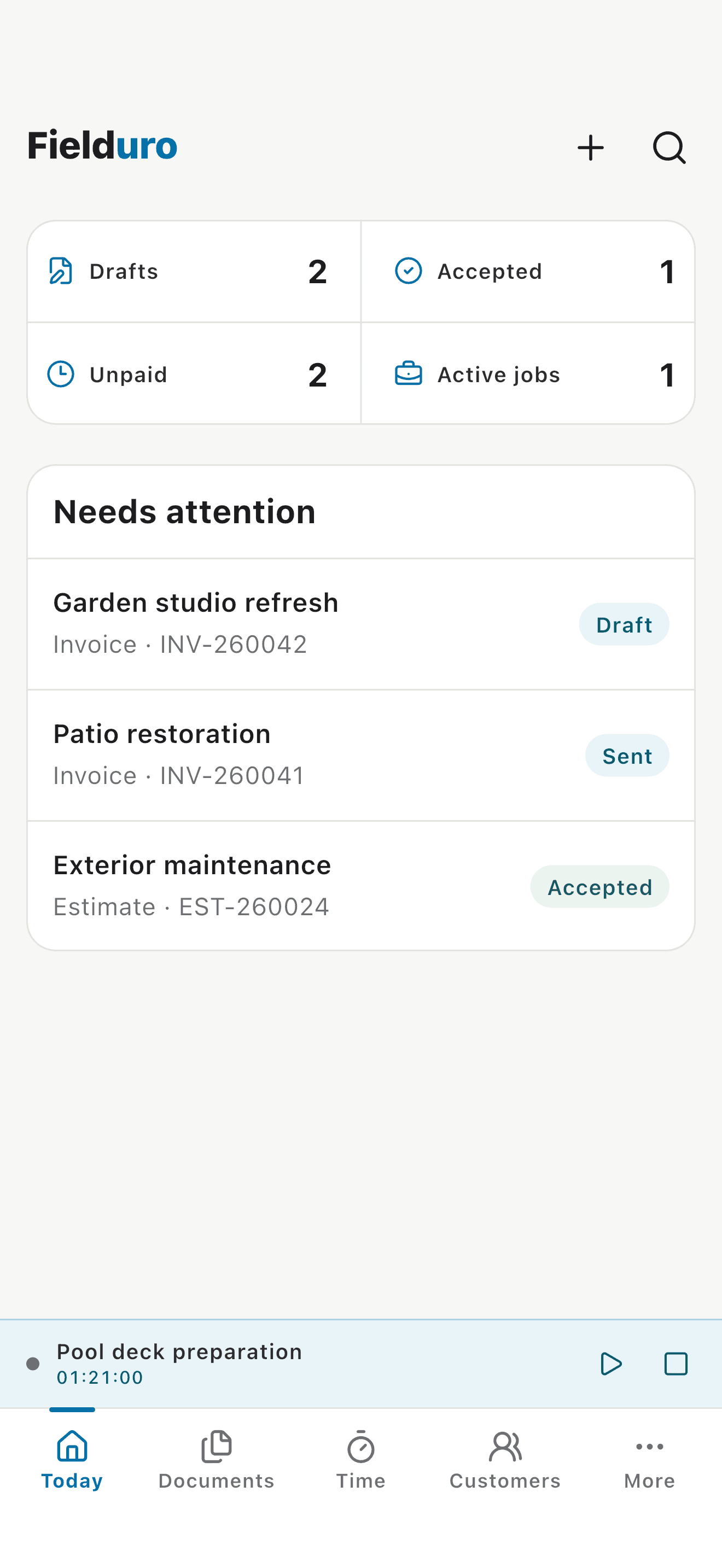
See the work that needs attention, unpaid invoices, drafts, and accepted estimates.
All customer names, contact details, jobs, and financial figures are fictional demo data. Keep the UI accurate and readable. Add a device frame in the final artwork if needed, but do not stretch the raw images or add invented features, ratings, or testimonials.
Download the designer handoffReal product
Use these unedited screens in reviews, articles, videos, and social posts. Each file is available at its original resolution.
Brand essentials
Keep the name, mark, and colors consistent. Download an individual file or take everything in the complete kit.
Use the square app icon when Fielduro needs to appear beside other products or platforms.
Download PNG
The primary mark for light backgrounds. Give it clear space and never stretch or rotate it.
Download SVG
Use this version on navy, photography, or another dark surface with strong contrast.
Download SVG#0070A8#102338#F7F8F6Ready-to-use copy
You may quote or adapt this copy. Keep claims tied to the product itself and avoid adding unverified customer or growth numbers.
Fielduro helps solo service businesses create estimates, work orders, invoices and receipts, track time, and keep every job's paperwork connected.
Fielduro is an invoicing and job administration workspace for people who do the work and the paperwork. Customer details, services, projects, time entries, documents, and payments stay together from the first estimate to the final receipt.
Fielduro is job administration software built for solo service businesses. A user can move from an estimate to a work order, invoice, and receipt without retyping the same customer and job details. Projects, reusable services, hourly and day-rate time entries, timesheets, signatures, payments, and customer-facing document links stay inside the same workspace. Fielduro runs on the web and has native apps for iPhone, iPad, and Mac, so work can start on site and be finished at a desk.
Usage guidance
Clear, accurate coverage helps people understand what Fielduro is actually for.
Need something specific?
For media, creator, partnership, and brand requests, contact the team directly.